Select a project before accessing Model Management.
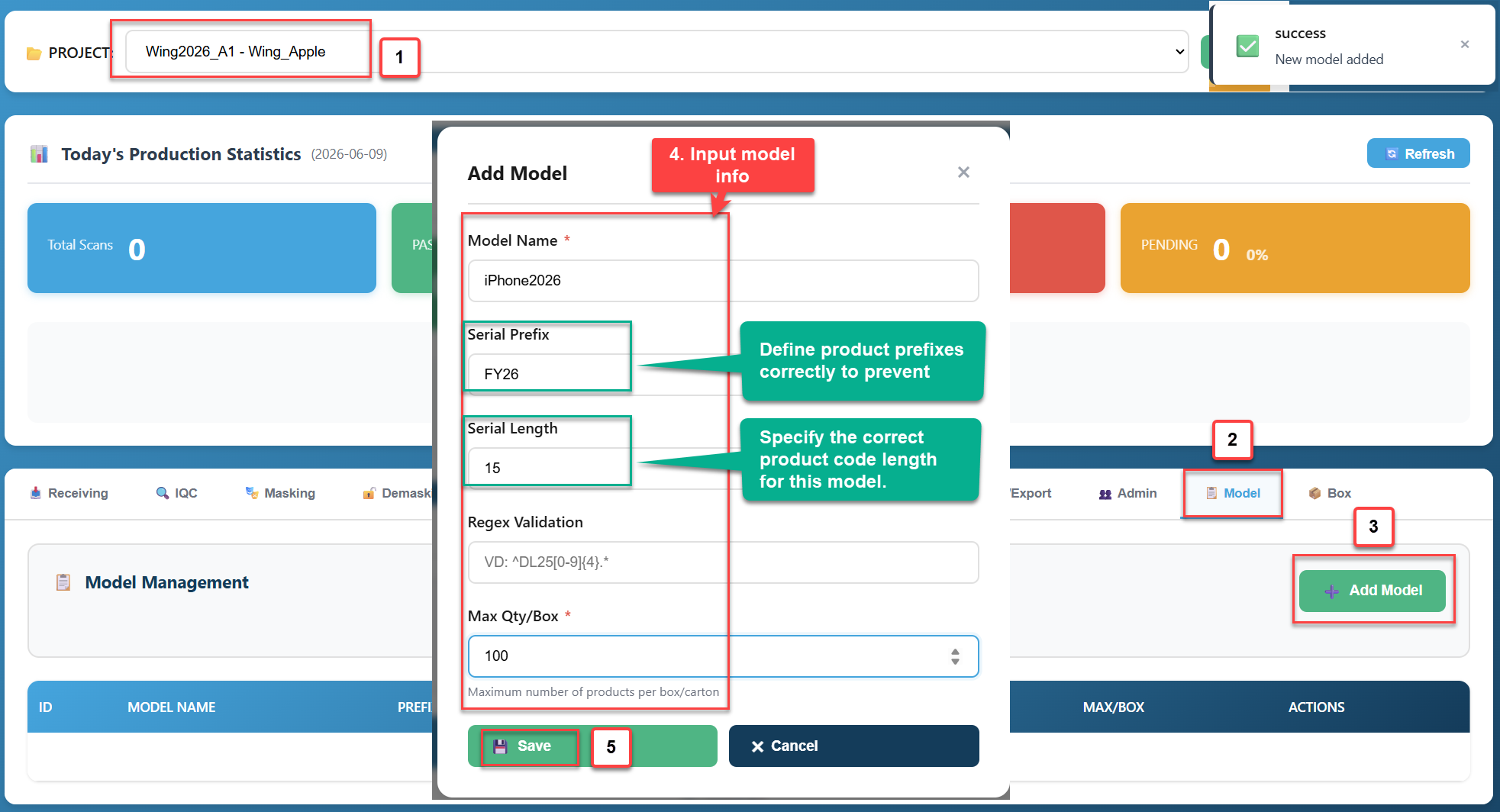
1. Create new model:
Note:
- Serial Prefix: Define product prefixes correctly to prevent incorrect model entry.
- Serial Length: Specify the correct product code length for this model.
- Model Tab -> Add Model
- Input new model info
- Save
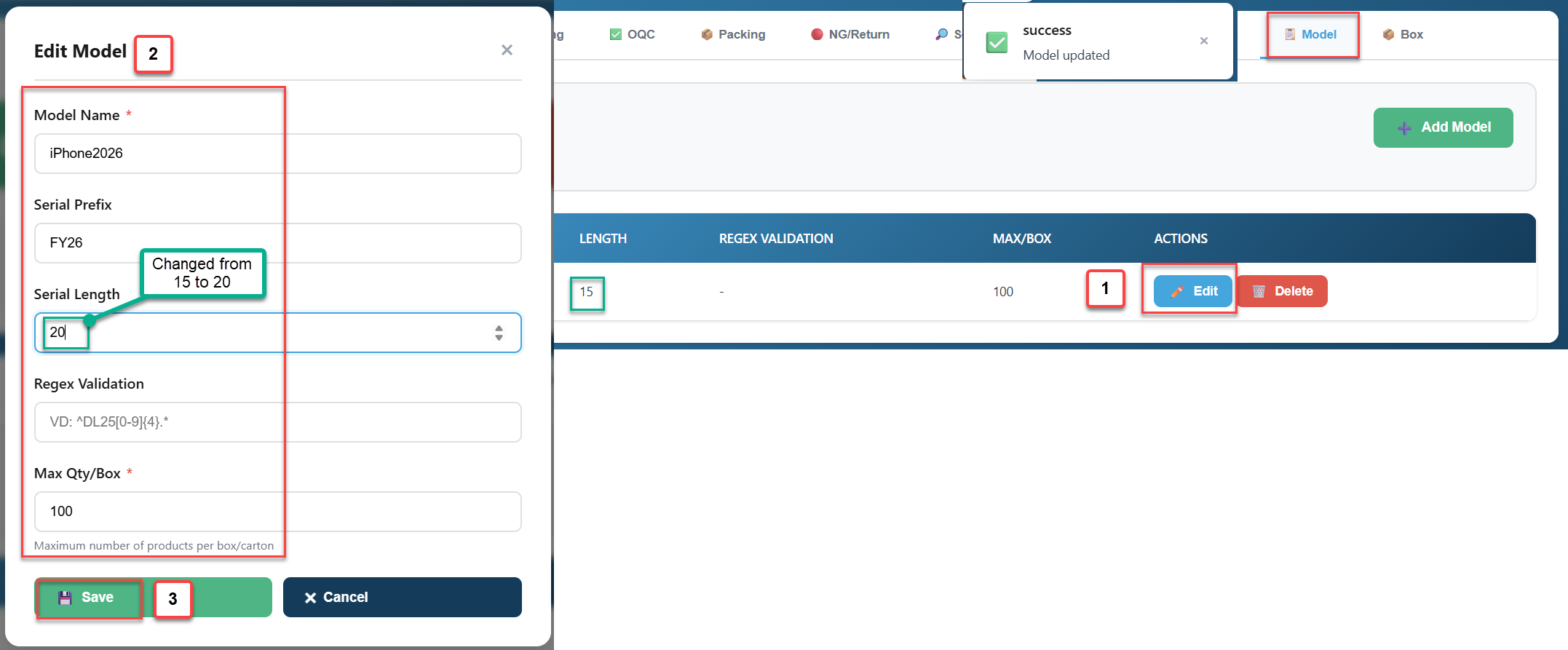
2. Edit Model:
- Model Tab -> Select a model
- Edit
- Update new information
- Save
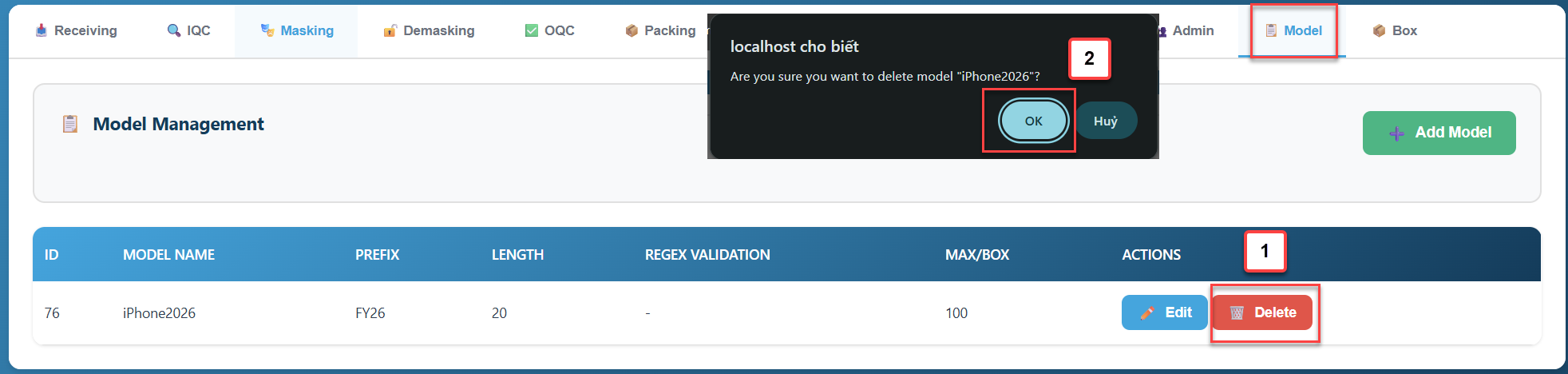
2. Delete Model:
- Model Tab -> Select a model
- Delete -> OK
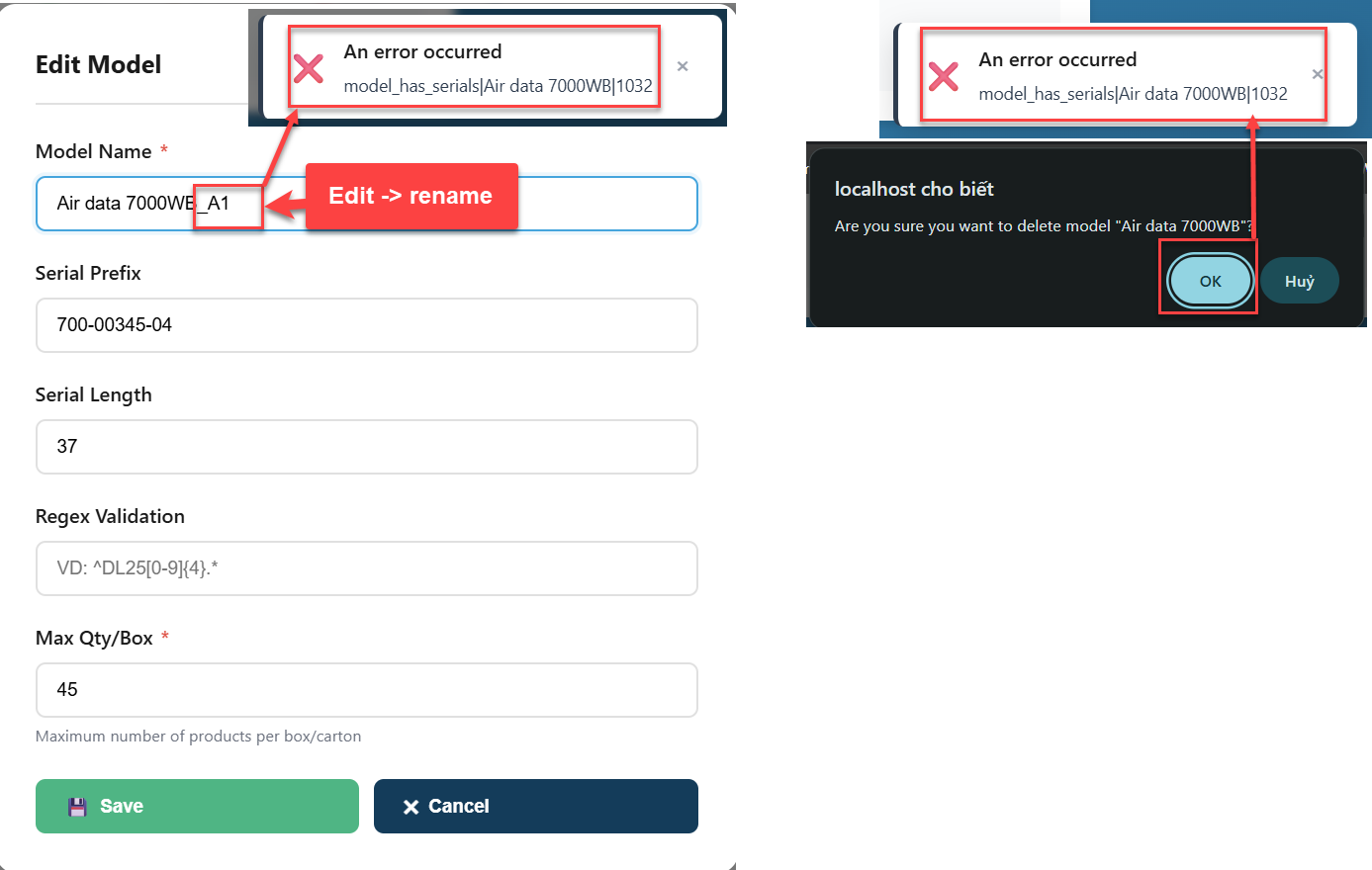
Warning: A model can only be renamed or deleted if it contains no data.